Metal Detector Settings Explained: Sensitivity to Ground Balance
What sensitivity, discrimination, ground balance and frequency actually do, why "best settings" lists fail, and how to find the setup your ground needs.
Updated
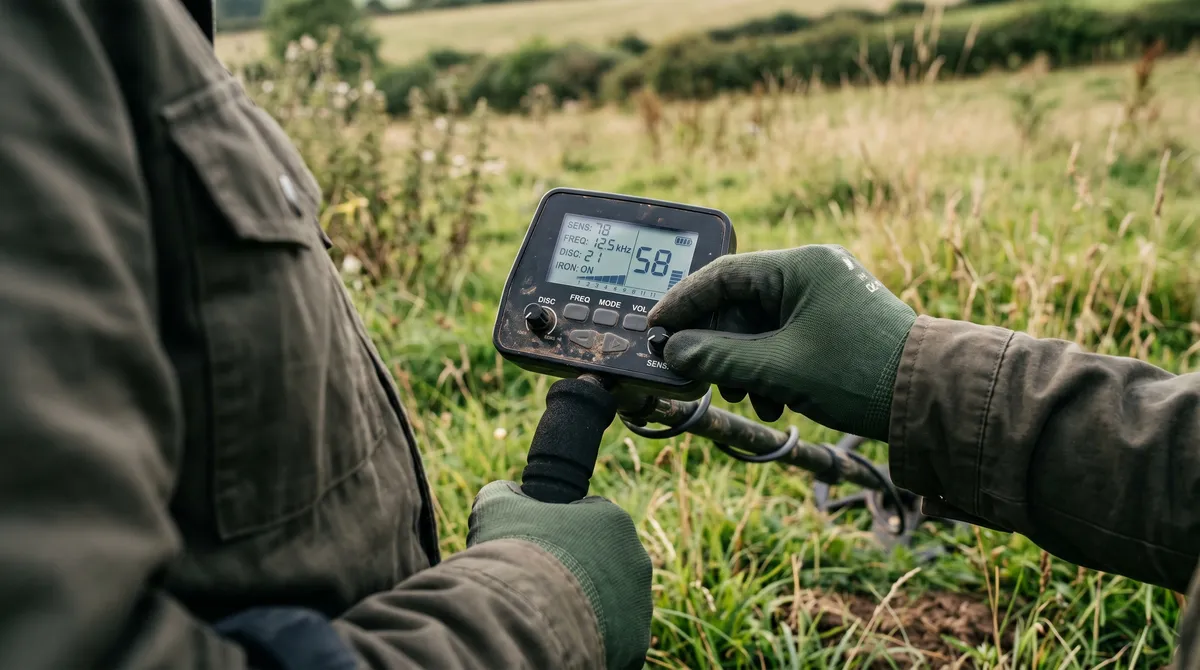
Crank the sensitivity, kill the discrimination, find more gold — if only it were that simple. Metal detector settings interact with each other and with the ground in ways that make “best settings” lists mostly useless. This guide covers what each control is actually doing to your machine, what you trade away when you move it, and how to find the setup a particular site needs — which comes down to running repeatable experiments and writing down what you ran.
The settings that matter most
You don’t need to understand every menu option. A handful drive most of your results:
- Sensitivity — how hard the detector listens. Higher finds deeper targets but also more noise and falsing.
- Discrimination — what the detector ignores. Filter too much and you skip gold along with the junk.
- Ground balance — how the detector handles your soil’s mineralisation. Get this right and everything else gets easier.
- Frequency mode (or kHz) — affects what targets you’re most sensitive to. Higher frequencies favour small and low-conductive targets like gold; lower favour high-conductive targets like silver.
These don’t work in isolation. High sensitivity in mineralised soil can force you to change your ground balance and your discrimination too. That’s the point — they’re a system, and the right balance shifts with the site.
What each setting actually does
Every one of these is a trade rather than a dial that goes from worse to better, and knowing what you give up when you move one is what separates deliberate setup from guesswork.
Sensitivity is gain. Turning it up amplifies everything — the faint deep coin and the soil mineralisation, the electrical interference, and the nearby fence. Past a certain point on a given site, extra sensitivity produces more noise than signal, and the machine becomes less capable rather than more. The correct setting is the highest one that remains stable, and that number is a property of the site, not the machine. A detector running smoothly at maximum in a clean paddock may need to come down substantially in mineralised ground or near power lines.
Discrimination rejects targets below a threshold. The cost is permanent and invisible: you never hear what you filtered out, so you cannot tell what you missed. Because gold and jewellery sit in the same range as foil and pull tabs, heavy discrimination is precisely how people spend years never finding a ring. Notching is the more surgical version — rejecting a specific band while accepting what sits either side of it — and it is still a bet. Our VDI guide covers why that band is such a difficult problem.
Ground balance tells the machine what the soil itself responds like so it can subtract it. In mild soil you can often ignore it entirely. In mineralised ground you cannot: get it wrong and you are either deaf to small targets or drowning in falsing. It also changes as you walk, sometimes within a few metres, so it is worth redoing through the day rather than setting once at the car.
Frequency governs what you are most sensitive to. Higher frequencies respond better to small, low-conductive targets — small gold, thin hammered coins. Lower frequencies favour large, highly conductive targets like silver and copper. Multi-frequency machines transmit several at once, which is what makes them so much better on wet salt sand and mineralised soil.
Recovery speed, where your machine offers it, controls how quickly it resets between targets. Fast recovery separates targets in trashy ground; slow recovery generally reaches deeper. It matters far more in a rubbish-strewn park than in a clean field.
Why “best settings” lists fail you
A setting that’s perfect on a clean rural pasture can be unusable on a trashy urban park. The soil’s different, the junk’s different, the targets are different. Copying someone else’s numbers from a forum ignores all of that.
There is a more basic problem too: the numbers frequently do not mean the same thing on different machines. Sensitivity 20 on one detector is not sensitivity 20 on another, any more than their VDI scales match. A forum post giving exact figures is only meaningful if the reader owns the same model, and often the same firmware.
What travels between detectorists isn’t settings — it’s method. The habit of changing one thing, seeing what it does, and keeping what works. That you can learn from anyone. Their exact sensitivity number? Probably not.
Starting points by ground type
So if exact numbers are useless, what is left? Direction. Which way to move each control when you arrive somewhere, and what the limiting factor is once you get there.
This is deliberately not a chart of numbers. Any table claiming that sensitivity 18 is correct for wet sand is guessing about a machine it has never met. What does transfer is the shape of the problem:
| Ground | Sensitivity | Discrimination | Ground balance | Recovery speed | What actually limits you |
|---|---|---|---|---|---|
| Clean rural pasture | High — often near max | Minimal, all-metal if you can stand it | Set once, recheck occasionally | Slower, for depth | Depth. Very little stops you here |
| Trashy urban park | Moderate — trash masks before depth does | Light notching at most | Straightforward, mild soil | Fast — separation beats depth | Target masking, not depth |
| Mineralised goldfields | Reduce until stable, well below max | Off, or near it — small gold reads low | Constantly, as you walk | Moderate | Soil noise and hot rocks |
| Dry beach sand | High — dry sand is easy | Low | Easy, minimal salt effect | Moderate | Depth and your patience |
| Wet salt sand / surf | Reduce noticeably | Low — gold sits with the trash | Salt mode or PI; re-balance often | Moderate to fast | Salt conductivity |
| Iron-infested old site | Moderate | All-metal with iron tone, never notched out | Regular | Fast | Iron masking everything |
Two patterns run through the whole table. Sensitivity is capped by stability, not ambition — the right setting is the highest one that stays quiet on the ground you are actually standing on, which varies far more by site than by machine. And discrimination costs you gold everywhere, because gold and jewellery read in the same range as foil and pull tabs on every detector ever made.
Use the row as a direction to move in, then write down where you actually landed. That number is worth more to you than any table, because it is about your machine on your ground.
Track settings per hunt
Here’s the simple version: every hunt, record the settings you ran. Sensitivity, discrimination, frequency mode, and the soil and weather you ran them in. It takes seconds and it turns vague impressions into something you can actually compare.
Once it’s recorded, you can answer real questions:
- Did higher sensitivity actually find deeper keepers here, or just more falsing?
- Which frequency mode produced better at this beach versus that paddock?
- After rain, did the damp soil change what worked?
You can’t answer any of that from memory. You can answer all of it from a log.
Record changes mid-hunt too. If you dropped the sensitivity two notches an hour in because the machine was falsing, that is the interesting part — it tells you something about the ground that a single settings snapshot does not. A one-line note is enough: “sens 22 → 18 at the top end, too noisy near the fence.”
In DetectingLog, each hunt saves a settings snapshot, so the record builds itself as you go. Pair that with your VDI readings and finds and the relationships start to surface.
Run repeatable experiments
The fastest way to improve is to change one variable at a time. Same site, same general conditions, one setting different — then compare the results. Over a few hunts you’ll learn more about your machine than a year of random tweaking.
It’s slower and less exciting than chasing a magic setup. It also actually works.
Two things make the comparison honest. Give it enough hunts — a single session proves nothing, because the difference between two afternoons on the same field is enormous even with identical settings. And hold the other variables still where you can: same site, similar ground conditions, similar coverage. Comparing a dry Saturday against a wet one tells you about the weather.
Interference is a setting problem in disguise
A great deal of what gets blamed on a faulty detector is electromagnetic interference, and it is worth recognising because the fix is not a setting at all.
Power lines, buried cabling, phone masts, electric fences, and other detectors nearby all inject noise. The symptoms look like a machine problem: erratic falsing, drifting readings, instability that will not ground-balance away. Most detectors offer a noise cancel or frequency-shift function precisely for this, and running it takes seconds.
If a site is consistently noisy, note that in your log alongside the settings. Otherwise you will spend three visits concluding your sensitivity is wrong when the actual variable is the pylon in the next field.
Still choosing a machine?
If you haven’t bought yet, this is worth knowing before you do: the number of settings a detector exposes is not a measure of how good it is. A beginner with fifteen adjustable parameters has fifteen ways to produce a result they can’t diagnose. Our first detector buying guide covers what actually matters when you’re choosing.
Salt water changes everything
One environment deserves a special mention, because your inland settings will not survive it. Wet salt sand reads as an enormous conductive target and will overwhelm a single-frequency machine no matter how carefully you’ve balanced it inland. Expect to run different settings on the dry sand and the wet, and expect both to differ from your usual setup — see beach metal detecting for what actually works there.
Mineralised goldfields soil is the other environment that breaks ordinary settings, for the opposite reason — see the Australian goldfields guide for why ground balancing becomes the whole game there.
Where the patterns pay off
This is where logging compounds. With enough hunts recorded, DetectingLog’s analytics can show you a settings effectiveness picture — which configurations correlate with keepers, how weather lines up with your results, and how different soil types perform. That’s the premium payoff of a habit that costs you a few seconds per hunt. And it feeds straight into lifting your keeper rate.
Frequently asked questions
What are the most important metal detector settings?
Sensitivity, discrimination, ground balance, and frequency mode do most of the heavy lifting. They interact with each other and with your soil, so the best combination changes from site to site — which is exactly why tracking them per hunt is worth it.
Is there one best setting for metal detecting?
No. Anyone selling you a single magic setting is wrong. The right setup depends on your detector, the soil, the trash level, and what you're hunting for. The goal is repeatable experiments — record what you ran, see what it produced, and refine.
What sensitivity should I run my metal detector at?
The highest setting that stays stable on the ground you are standing on. That is a property of the site, not the machine — a detector that runs happily near maximum in a clean paddock may need to come well down in mineralised soil or near power lines. Past the point where it starts falsing, extra sensitivity produces more noise than signal and makes the detector less capable, not more.
What is ground balance and do I need to adjust it?
Ground balance tells the detector what your soil itself sounds like so it can subtract that response and hear targets through it. In mild soil you can often ignore it; in mineralised ground it is the difference between a usable machine and a screaming one. Re-balance whenever the ground changes or the machine starts falsing.
Why should I log my detector settings?
Because you can't compare what you don't record. Logging settings per hunt lets you see which configurations actually pulled keepers from a given site or soil type, instead of relying on memory or guesswork.
Keep reading
Trash vs Treasure: Improve Your Keeper Rate Over Time
Digging junk is part of detecting — but patterns can cut the wasted digging. Here is how to raise your keeper rate without missing the good finds.
VDI Numbers Explained: Learn Your Detector's Signals
What VDI numbers really mean, why they shift with soil and depth, and how to build your own signal history so you dig smarter and guess less.
Miner's Right Victoria: Cost, How to Get One and the Rules
A Victorian Miner's Right costs $29.40 for 10 years, rising to $41.40 on 1 January 2027. How to buy one, what it lets you do, and the rules attached.